
playing online with realbridge
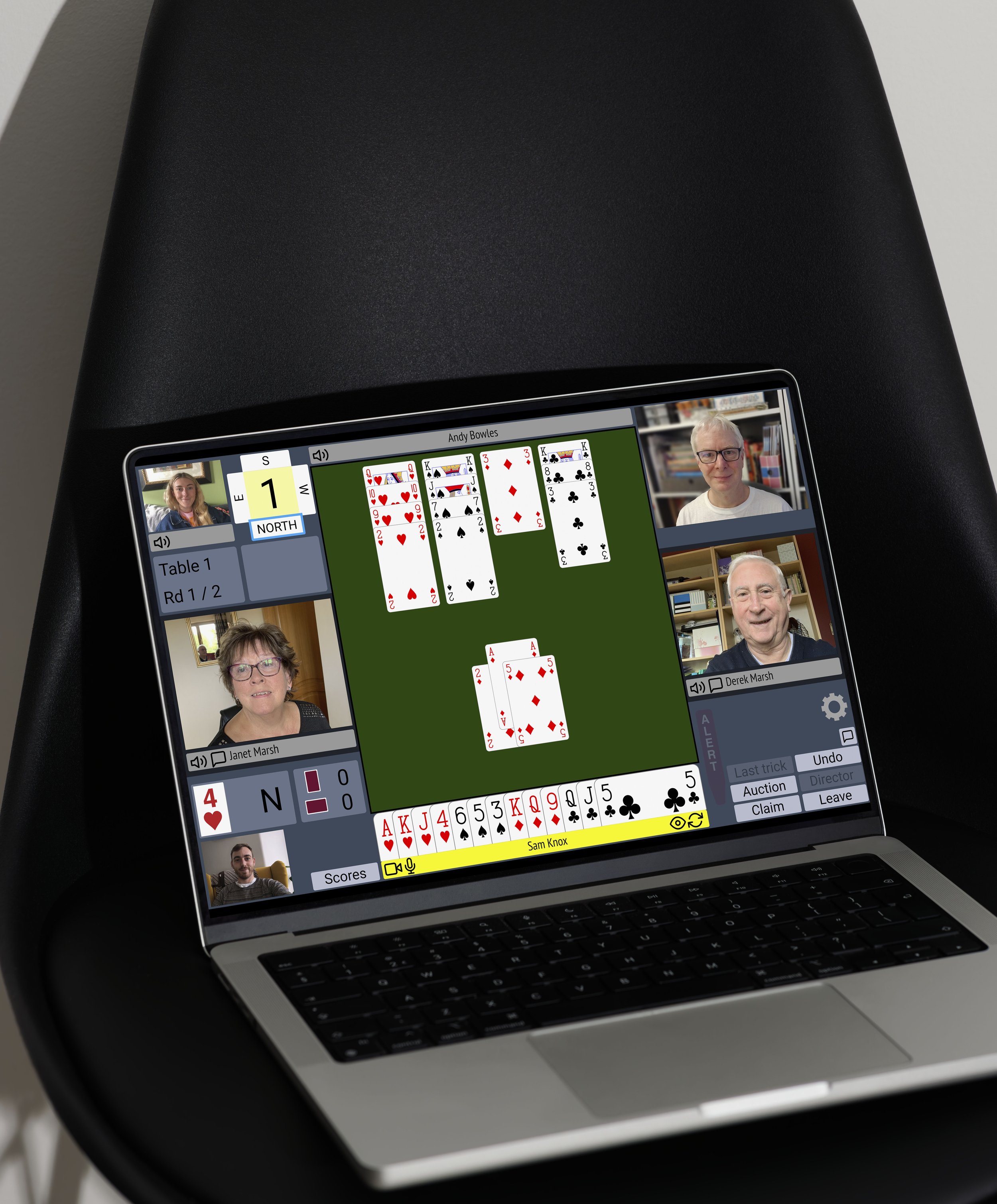
RealBridge is an online bridge platform that combines the convenience of online play with the social feel of sitting at a real bridge table.
Using live video and audio, players can see and speak to one another throughout the session, creating a more natural and interactive experience.
It is widely used for online club sessions, teaching, supervised play and national competitions.
getting started with realbridge
RealBridge regularly runs introductory sessions led by experienced hosts and platform experts.
If you are completely new to RealBridge, we recommend spending a few minutes familiarising yourself with the platform before joining your first session.
RealBridge regularly runs introductory sessions led by experienced hosts and platform experts. These are a great way to learn the basics and become comfortable using the system before playing in a live event.
You can also review:
The audio and video test is particularly important as it ensures your device, microphone and camera are all working correctly before play begins.
Joining a RealBridge Session
Joining a session is very straightforward.
Simply click on the relevant session link provided by your club, teacher or tournament organiser. This will launch the RealBridge table in your browser.
You’ll then be asked to:
Enter your full name
Add your Scottish Bridge number if you have it available (this can also be left blank)
If your browser asks for permission to access your microphone or camera, click “Allow”.
A Few Helpful Tips
Use headphones, if necessary.
Avoid playing in the same room as your partner. If your real-life partner is also your bridge partner, try to play from separate rooms where possible. Two devices using audio in the same room can create feedback and echo issues.
Leave your seat properly at the end of a session. When your session has finished:
Click the “Leave” button
Close your browser completely